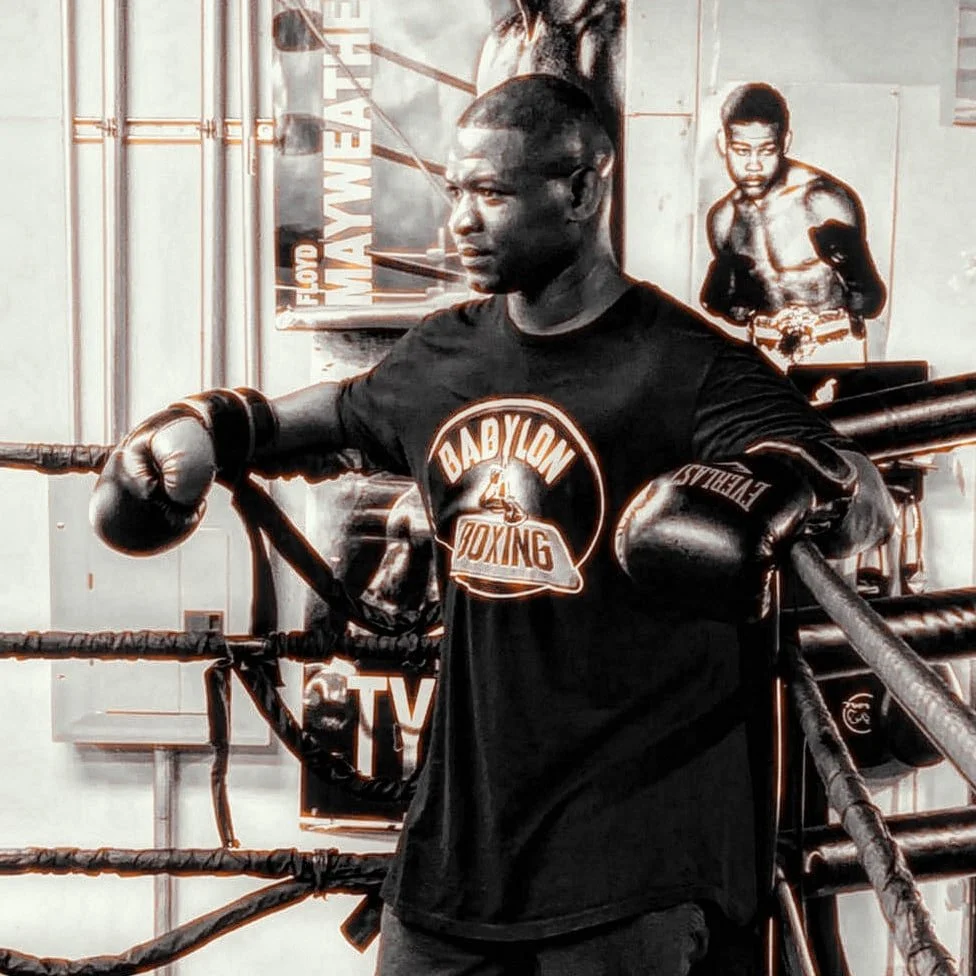
Train like a champion - with a champion. Perfect — let’s start building Team Mack Fitness step-by-step inside the Squarespace editor. I’ll guide you through each key page to match the brand and layout we designed. --- 🛠 Step 1: Rename Your Site 1. Click the site title at the top (usually says something generic like “My Site”) 2. Rename it to: Team Mack Fitness 3. Hit Enter to save --- 🛠 Step 2: Set Up Your Pages Squarespace starts you with some default pages. Let’s customize or add these 5 core pages: ✅ 1. Home Click on the Home page Update the headline to: Train Like a Champion Add a subheadline below it: Boxer-based fitness & apparel by pro boxer Joseph Mac Williams. Add two buttons: “Book a Session” → Link to Services “Shop Apparel” → Link to Apparel --- ✅ 2. About If you don’t see one, go to the Pages panel → "+" → Page → Blank Page → Name it “About” Then paste this in: > About Team Mack Fitness Joseph Mac Williams is a professional boxer and elite fitness coach. He built Team Mack Fitness to bring real fight training to real people. Whether you’re looking to lose weight, build strength, or move like a fighter — you’ll get trained like a champion. Add a photo of yourself if you have one ready. --- ✅ 3. Services Add a new page → Blank → name it Services Use a text or list section, and paste this: > Our Services 🥊 1-on-1 Boxing Conditioning 💪 Group Boxing Workouts 📱 Virtual Fitness Coaching 🔥 8-Week Weight Loss Programs 🔗 Later we’ll connect booking here with Squarespace Scheduling --- ✅ 4. Fighters Create a new page called Fighters For each fighter, do this: 1. Add an image bloc
*
Train like a champion - with a champion. Perfect — let’s start building Team Mack Fitness step-by-step inside the Squarespace editor. I’ll guide you through each key page to match the brand and layout we designed. --- 🛠 Step 1: Rename Your Site 1. Click the site title at the top (usually says something generic like “My Site”) 2. Rename it to: Team Mack Fitness 3. Hit Enter to save --- 🛠 Step 2: Set Up Your Pages Squarespace starts you with some default pages. Let’s customize or add these 5 core pages: ✅ 1. Home Click on the Home page Update the headline to: Train Like a Champion Add a subheadline below it: Boxer-based fitness & apparel by pro boxer Joseph Mac Williams. Add two buttons: “Book a Session” → Link to Services “Shop Apparel” → Link to Apparel --- ✅ 2. About If you don’t see one, go to the Pages panel → "+" → Page → Blank Page → Name it “About” Then paste this in: > About Team Mack Fitness Joseph Mac Williams is a professional boxer and elite fitness coach. He built Team Mack Fitness to bring real fight training to real people. Whether you’re looking to lose weight, build strength, or move like a fighter — you’ll get trained like a champion. Add a photo of yourself if you have one ready. --- ✅ 3. Services Add a new page → Blank → name it Services Use a text or list section, and paste this: > Our Services 🥊 1-on-1 Boxing Conditioning 💪 Group Boxing Workouts 📱 Virtual Fitness Coaching 🔥 8-Week Weight Loss Programs 🔗 Later we’ll connect booking here with Squarespace Scheduling --- ✅ 4. Fighters Create a new page called Fighters For each fighter, do this: 1. Add an image bloc *
Boxer-based fitness training, real results. Led by pro boxer Joseph Mack Williams, Team Mack Fitness brings championship-level intensity to everyday people. Whether you're training for a fight or fighting to get fit — we’ve got you.